

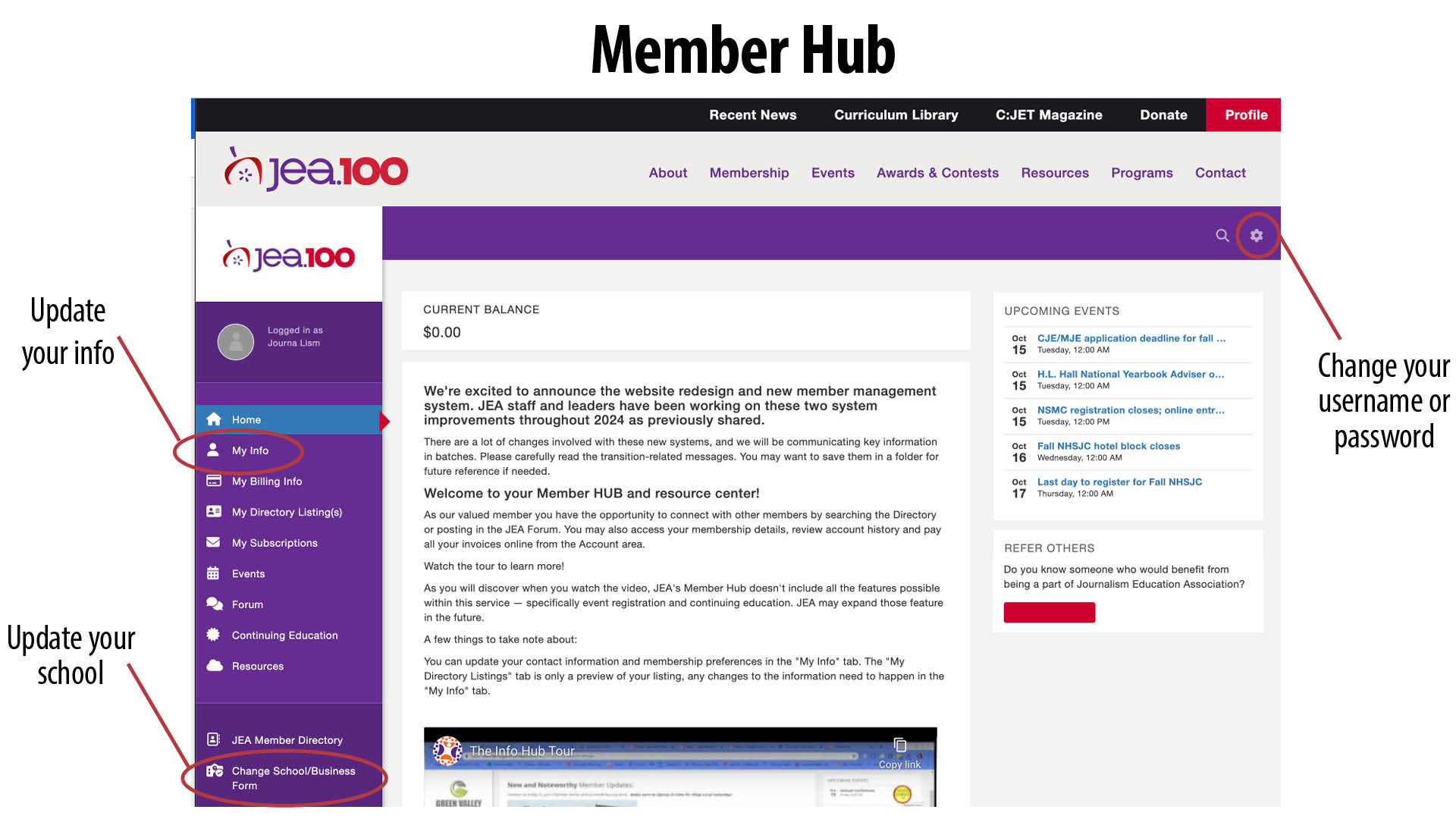
Sept. 11 JEA launched a new website and membership system. Before members will be able to access members-only content at JEA.org, including updating your membership information and registering for NSMC, you will need to activate your new membership account — which includes a username, new password and new member ID. All members were sent an email with a unique link to activate your account.
Please contact staff@jea.org if you need assistance activating your account. If you haven’t activated your account through the unique link emailed to you, trying to create a new account or selecting the “forgot your password” link will NOT work for you. Please contact staff@jea.org to get your activation link.
There are a lot of changes involved with these new systems, and we will be communicating key information in batches. Please carefully read the transition-related messages.
Member Hub Part 1
Part 1 video walkthrough
Part 1 informational post
Timestamps/Bookmarks for the Videos
Info Hub Part 1 Getting Started
0:00-1:38 — General Information, activate your account and how to access your account
1:38-2:11 — Member hub tutorial
2:12-2:50 — Change your username or change your password
2:50-9:48 — Update your information, communication preferences, bio and teaching info
9:49-11:24 — Update your school information
JEA’s new membership system – Part 1
Member Hub part 2 – JEA Forum
Part 2 walkthrough video
PLEASE NOTE: The Forum was updated by GrowthZone the week of Nov. 17, 2025.
To publish posts, users now only need to click “Done.”
To set up email notifications, users may now access these settings under Forum in the left-hand menu. Click on “Forum Preferences” to set up your email notifications. This article provides more details.
These recent updates are not included in the video below.
Timestamps/Bookmarks for the Videos
Info Hub Part 2 Forum
0:00-2:00 — Getting started
2:00-3:57— Forum topics and navigating forum
3:58-6:00 — Creating a post (PLEASE NOTE: To publish posts, users now only need to click “Done.”)
6:01-7:07— Replying and commenting on a post
7:08-8:45 — Watchlist a forum topic
8:46-9:59 — Search JEA forum
10:00-12:06 — Email notification (PLEASE NOTE: Click on “Forum Preferences” to set up your email notifications.)
12:07-14:09 — Terms and conditions
Part 2 informational post
Lindsay Porter, CJE